


01
Students revising for exams
Turn each recorded lecture into a deck the same day, and spend revision week reviewing cards instead of writing them.
Turn a lecture or tutorial into a deck you can actually revise from.
This is what came back for “Inside the Mind of a Master Procrastinator | Tim Urban | TED”, taken straight from its result page. Nothing here was written for this page.

Inside the Mind of a Master Procrastinator | Tim Urban | TED
TED
How did Tim Urban complete his 90-page college senior thesis?
He wrote the entire 90 pages in 72 hours immediately before the deadline, pulling two consecutive all-nighters.
According to Tim Urban's brain model, what differentiates a procrastinator's brain from a non-procrastinator's?
Both brains contain a Rational Decision-Maker, but the procrastinator's brain also contains an Instant Gratification Monkey.
What are the core characteristics and motivations of the Instant Gratification Monkey?
The Monkey lives entirely in the present moment with no memory of the past or knowledge of the future, and cares only about things that are easy and fun.
What unique abilities does the Rational Decision-Maker provide?
It allows humans to visualize the future, look at the big picture, and execute long-term plans to do whatever makes sense at the moment.
A video to flashcards generator turns a lecture, tutorial or talk into study cards: a question on the front, the answer from the video on the back. It takes over the slowest part of studying — writing the cards — and ties each card to the moment in the video it came from.
The cards are written from the transcript, so they test what was actually taught, and no card is written that the transcript does not answer. Reword or remove any of them before exporting the deck to Anki or Quizlet, or flip through them right on the page.
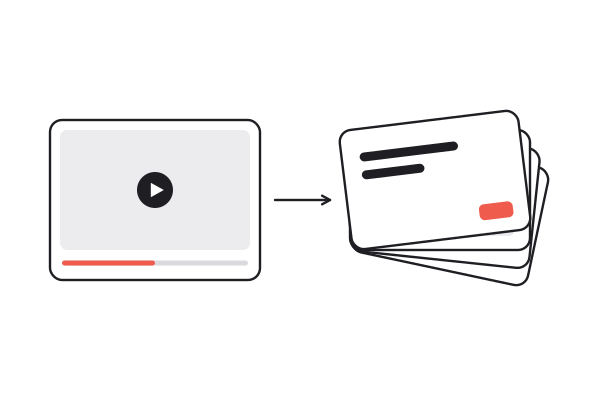
A YouTube, TikTok or Instagram link, or upload your own recording. Videos where someone explains something make the best decks.
Eight to twelve cards come back in the order the ideas appear in the video, each with the moment it came from.
Flip through them on the page, fix or delete any card, then download the deck for Anki or Quizlet.
Each front is something you could be asked in an exam. A card that repeats the slide back to you teaches nothing.
Cards carry the timestamp they came from, so a confusing answer is one tap away from the explanation.
One tab-separated file with a question and an answer on each line — the format both apps import as it is.
Make the deck in any of eight languages, whatever language the lecture was given in. Useful for language study too.
The same link also gives a summary at three depths and the full transcript, for the parts no card can hold.
See how the ideas on the cards connect, laid out as topics and sub-points and downloadable as a PNG.
Upload an MP4, MOV, MP3 or WAV up to 100 MB — a recorded class, or a lecture you captured on your phone.
Videos you process are kept in your workspace, searchable by what was said in them, not just by title.
Questions, not restatements
01 / 08Each front is something you could be asked in an exam. A card that repeats the slide back to you teaches nothing.
Cards carry the timestamp they came from, so a confusing answer is one tap away from the explanation.
One tab-separated file with a question and an answer on each line — the format both apps import as it is.
Make the deck in any of eight languages, whatever language the lecture was given in. Useful for language study too.
The same link also gives a summary at three depths and the full transcript, for the parts no card can hold.
See how the ideas on the cards connect, laid out as topics and sub-points and downloadable as a PNG.
Upload an MP4, MOV, MP3 or WAV up to 100 MB — a recorded class, or a lecture you captured on your phone.
Videos you process are kept in your workspace, searchable by what was said in them, not just by title.
Turn each recorded lecture into a deck the same day, and spend revision week reviewing cards instead of writing them.
Generate a first draft of quiz questions from your own recorded lesson, then cut it down to the ones worth asking.
Make cards in your own language from a video in the one you are learning, with a timestamp to hear the original sentence.
Turn a long training course into decks lecture by lecture, then drill the sections you keep getting wrong.
Each card is written from what was actually said, in the order the ideas come up, with the second it came from. When an answer does not make sense, tap the timestamp and hear the explanation again instead of guessing.
Flip through the deck on the page before you take it anywhere. Delete the cards you already know and reword the ambiguous ones: ten cards you trust beat forty you abandon by the third review. Edits apply to the deck you download, so export it once it looks right.
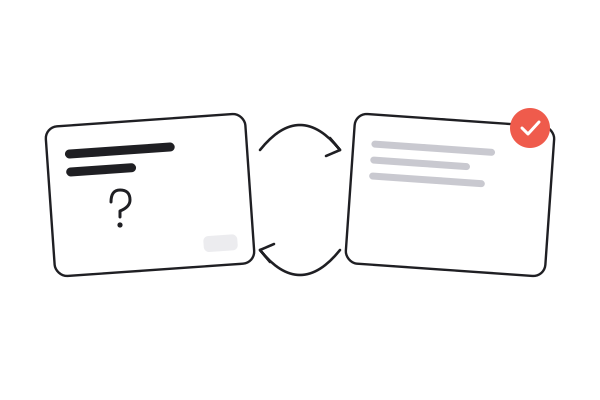
The export is a plain tab-separated file: one card per line, the question, a tab, then the answer. Anki and Quizlet both import it as it is, so the deck joins whatever review system you already use.
Generating a deck spends credits, and a new account starts with ten. Downloading it costs nothing extra, and reopening a deck you have already made is free. Free accounts take videos up to ten minutes; on a paid plan a two-hour lecture works too.
Three ways to get from a lecture to a deck. Only one keeps every card tied to the moment it was taught.
| Writing cards by hand | Asking a chatbot | summarizer.video | |
|---|---|---|---|
| Time for a one-hour lecture | An evening | Minutes, once you have a transcript | Minutes |
| Cards drawn from what was said | Only if you paste the transcript | ||
| A timestamp on every card | |||
| A file Anki and Quizlet import | Typed in yourself | Reformat it yourself | |
| Cards in another language | If you translate them | ||
| Summary and transcript alongside |
Eight to twelve cards per video, in the order the ideas come up. A long lecture is condensed to its main ideas, so for a whole course, make one deck per lecture.
Yes. The download is a tab-separated file with a question and an answer on each line, which Anki imports directly into any deck you choose.
Download the deck, create a set in Quizlet and choose Import, then paste in the file's contents. Each line is one card, with a tab between question and answer — the format Quizlet's import reads.
Yes, and it is worth doing. Edits apply to the deck you download, but they are not saved to your account yet, so export the deck once it looks right.
Anything explanatory: lectures, tutorials, course material, conference talks. Casual conversation makes weaker cards, because there is less definite content to test.
Generating a deck spends credits, and a new account starts with ten. Exporting costs nothing extra, and reopening a deck already made is free — as is any result already on the site.
Yes. The deck can be written in any of eight languages, whatever language the video is in — an English lecture can become Chinese cards, a Spanish one English cards.
Yes. Paste the link, or upload an MP4, MOV, MP3 or WAV up to 100 MB. TikToks without captions, Reels and uploads go through speech-to-text on every account, billed per minute of audio. A short clip gives a short deck.
Paste a lecture or tutorial link. The cards come back with their timestamps, ready for Anki or Quizlet.
Generate flashcards