


01
Creators
Run the comment summarizer on your last upload to find the request that keeps coming back and the correction worth pinning.
The most-liked comments, read for you: the mood, the corrections, the argument everyone is having.
This is what came back for “How to Speak”, taken straight from its result page. Nothing here was written for this page.

How to Speak
MIT OpenCourseWare
Deeply reverent, grateful, and nostalgic, balanced with affectionate humor. Viewers hold the late Professor Patrick Henry Winston in high esteem, sharing profound tributes to his lifelong teaching ethos alongside playful jokes about his rules against laptops and opening jokes.
Awe and Appreciation for Winston's Masterful Teaching
Viewers marvel at how seamlessly Professor Winston practiced the exact public speaking techniques he taught, praising the talk's clarity, timeless utility, and accessibility for learners across all ages and professions.
Lighthearted Humor and Meta-Jokes
Commenters react playfully to specific moments in the talk, frequently joking about watching on their laptops right after Winston tells the audience to put laptops away, or claiming they only just learned how to speak.
Tributes and Mourning for Professor Patrick Henry Winston
Many pay their respects following Winston's passing in 2019, sharing personal memories of his rigorous class preparation at MIT, his AI courses, and his mentorship, while advising newcomers from outside streams to stay respectful.
A YouTube comment summarizer reads a video's comment section and tells you what it says: the overall mood, the themes that keep coming up and roughly how often, and the corrections and questions buried in it.
It works from the most-liked comments — the ones the audience itself pushed to the top — and lists them under its summary, so every theme can be checked against what people actually wrote. The summary is written in the language you read in; each comment stays exactly as it was posted.
Any public YouTube video with comments switched on. TikTok and Instagram links work the same way.
About a hundred of the most-liked comments are fetched, and the YouTube comment summarizer writes its digest from the top sixty.
Every comment is listed under the summary with its likes and reply count. Download the whole set as CSV.
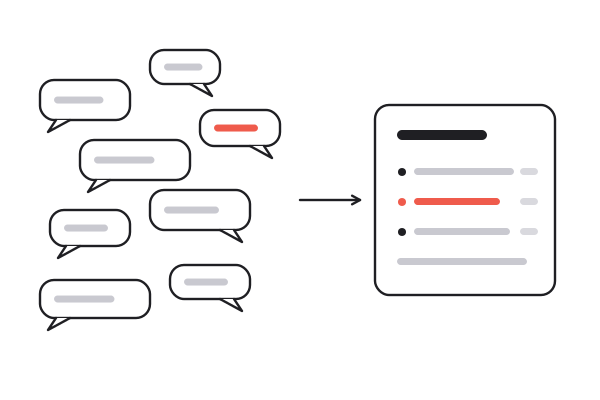
A paragraph on the mood, the recurring themes with a rough count each, and a separate list of corrections and open questions.
Author, text, likes, reply count and age for every comment, quoted properly so commas and line breaks survive the spreadsheet.
The comment summarizer writes in any of eight languages. Each comment stays in the language it was written in, so quotes stay exact.
The same link gives the video's summary, chapters and transcript, so what was said sits beside what viewers said about it.
When the comment summarizer flags a correction, ask the video itself. Answers come from the transcript, with timestamps.
Every video you open stays in your workspace, and search runs over the full text of every transcript.
Mood, themes and disputes
01 / 06A paragraph on the mood, the recurring themes with a rough count each, and a separate list of corrections and open questions.
Author, text, likes, reply count and age for every comment, quoted properly so commas and line breaks survive the spreadsheet.
The comment summarizer writes in any of eight languages. Each comment stays in the language it was written in, so quotes stay exact.
The same link gives the video's summary, chapters and transcript, so what was said sits beside what viewers said about it.
When the comment summarizer flags a correction, ask the video itself. Answers come from the transcript, with timestamps.
Every video you open stays in your workspace, and search runs over the full text of every transcript.
Run the comment summarizer on your last upload to find the request that keeps coming back and the correction worth pinning.
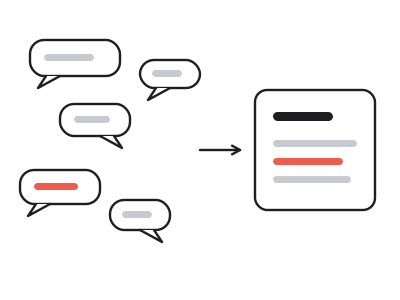
Read what viewers say under a review or a launch video as product feedback: what they praise, what they complain about, what they ask for.
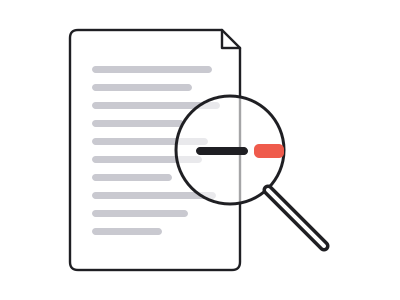
Export the most-liked comments as CSV for sampling, coding or a quick count, with likes and reply counts attached.
See how an audience reacted to a video, then quote comments word for word, exactly as they were posted.
On anything technical, instructional or contested, the comment section is where the video gets corrected: the version number that changed, the step that no longer works, the claim three people disputed with sources. None of that is in the video, and most of it sits in the most-liked comments.
The YouTube comment summarizer keeps those apart from the general discussion. Corrections, factual disagreements and questions nobody answered get their own list, and when there are none, that list comes back empty rather than padded with invented conflict.
One click gives you a CSV with the author, the text, the like count, the reply count and the age of each comment — one per row, properly quoted, ready for a spreadsheet, a notebook or a tagging pass.
Reply counts are included; the reply threads themselves are not fetched yet, so the comment summarizer and the export both work from top-level comments. Anything already on the site opens free; reading a new video's comments spends credits, and a new account starts with ten.
Three ways to find out what a comment section thinks. Only a YouTube comment summarizer gives you the shape of it before you read a single comment.
| Scrolling the comments | Sorting a spreadsheet | summarizer.video | |
|---|---|---|---|
| Time to the gist | As long as you keep scrolling | An hour of tagging | About a minute |
| Recurring themes, counted | If you count them yourself | ||
| Corrections and open questions listed | |||
| Read in your own language | |||
| Original comments to check against | |||
| CSV with likes and reply counts |
About a hundred of the most-liked comments are fetched, and the summary is written from the top sixty. On a busy video those are the ones everyone actually sees, and they show the shape of the discussion without a thousand one-word replies.
Paste the video link into the box and open the Comments tab. The comment summary and the full list sit beside the video's own summary and transcript, on the same page.
Yes — as a CSV with the author, the text, the likes, the reply count and the age of each comment, properly quoted so commas and line breaks do not break the file.
Each comment shows how many replies it has. The reply threads themselves are not fetched yet, so the summary works from top-level comments only.
No. If the creator switched comments off there is nothing to read, and the Comments tab says so instead of showing an empty summary.
It is written from nothing but the list of comments under it, so any theme or correction can be checked against the original wording. It does not invent disagreement: if nobody disputed anything, that list stays empty.
Yes. The summary is written in your output language — any of eight, including Chinese, Spanish and Japanese. Each comment stays as it was posted, so a quote is always the original.
Opening anything already on the site is free, with no account. Reading a new video's comments and writing the summary spends credits, and a new account starts with ten.
Paste the video link. The comment summary comes back with the transcript and the video's own summary.
Summarize comments