


01
Video editors and creators
Cut from the text: find the sentence, take its timecode, and drop an SRT straight into the editor.
Turn a video link or your own file into clean, searchable, timestamped text.
This is what came back for “Inside the Mind of a Master Procrastinator | Tim Urban | TED”, taken straight from its result page. Nothing here was written for this page.
A video to text converter turns the speech in a video into written text. Paste a link from YouTube, TikTok or Instagram, or upload an MP4, MOV, MP3 or WAV file, and you get a timestamped transcript you can read, search, copy and download.
Where the platform already has captions — most of YouTube, most spoken TikToks — the text comes straight from them. Reels, media links, uploads and anything else without captions go through speech-to-text, so a lecture recording, a meeting or a voice memo nobody captioned still becomes text.
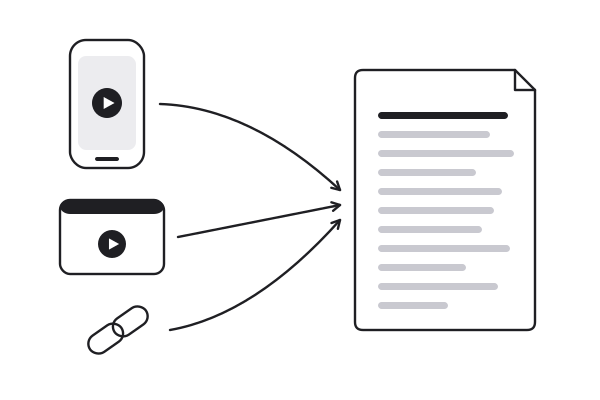
Video to text starts from a YouTube, TikTok or Instagram link, a direct media link, or an MP4, MOV, MP3 or WAV file up to 100 MB.
Existing captions are read in seconds. Anything without them goes through speech-to-text, 1 credit per minute of audio.
Read it beside the player, search it, then copy it or download TXT, Markdown, SRT or VTT.
A YouTube URL, a TikTok share link or an MP4 off your desktop all go through the same video to text step and come out in the same timestamped format.
When a video already has captions, the text is taken from them directly — one credit, however long the video.
No captions? The audio is written out line by line with real timings, on every account, 1 credit per minute.
Every line keeps the second it starts. Click it and the player jumps there, so the text doubles as a seek bar.
SRT and VTT for subtitles and editors, Markdown for documents, plain text with or without timestamps for the rest.
The transcript stays in the original language; a summary of it can come out in any of eight languages.
Converted videos stay in your workspace, and search runs across the full text of all of them.
Links and files, one box
01 / 07A YouTube URL, a TikTok share link or an MP4 off your desktop all go through the same video to text step and come out in the same timestamped format.
When a video already has captions, the text is taken from them directly — one credit, however long the video.
No captions? The audio is written out line by line with real timings, on every account, 1 credit per minute.
Every line keeps the second it starts. Click it and the player jumps there, so the text doubles as a seek bar.
SRT and VTT for subtitles and editors, Markdown for documents, plain text with or without timestamps for the rest.
The transcript stays in the original language; a summary of it can come out in any of eight languages.
Converted videos stay in your workspace, and search runs across the full text of all of them.
Cut from the text: find the sentence, take its timecode, and drop an SRT straight into the editor.
Upload a recorded lecture, convert the video to text and revise from something searchable, with the exact minute behind every line.
Publish a transcript with the episode, or lift the exact wording of a quote instead of paraphrasing from memory.
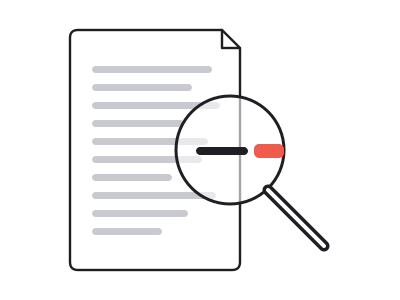
Turn interview and field recordings into text you can search, quote and code, without typing a word.
Video to text works on your own files too. Drop an MP4, MOV, MP3 or WAV file up to 100 MB into the box and it goes through speech-to-text on any account: the audio is written out line by line, with the second each line starts. Free accounts take files up to ten minutes and an hour of uploads a month; a long recording uploaded as audio only stays well under the size limit.
The file is kept so it plays beside the transcript, and clicking a line takes you to that moment. You can delete it from its page at any time.
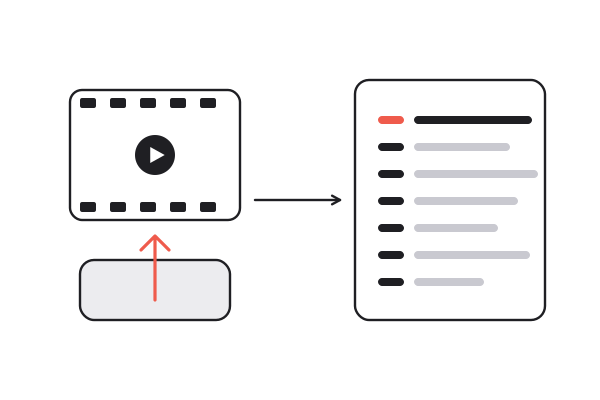
The same conversion comes out five ways: TXT with timestamps, plain text without them, Markdown for a document, and SRT or VTT with real start and end times on every line. Video editors and players read the last two as a subtitle track, so a converted video can go straight back up with captions.
Prefer clean prose for reading and timestamps for getting back to the source? Both come from the one video to text conversion, so switching costs nothing. And once the video is text, the same page can summarize it, split it into chapters or turn it into flashcards without processing the video again.
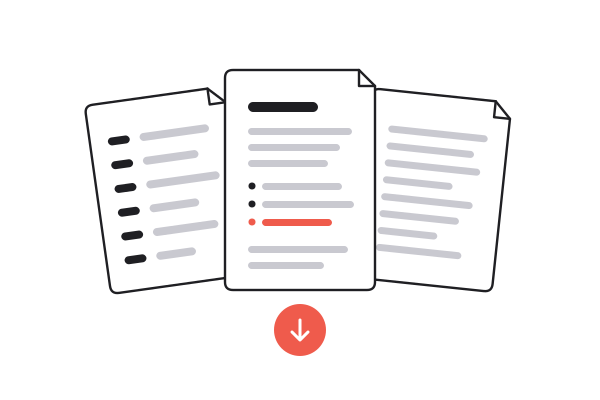
Three ways to get the words out of a video. Only one works on files and links alike and keeps every line tied to its timestamp.
| Typing it out | Copying the platform's captions | summarizer.video | |
|---|---|---|---|
| Time for a 30-minute video | Hours | Minutes, if captions exist | Seconds to a few minutes |
| Works without captions | |||
| Works on your own files | |||
| Click a line to jump to it | |||
| SRT and VTT with real timings | Sometimes | ||
| Search across everything converted |
Reading anything already converted is free, with no account. A new conversion runs on credits, and a new account starts with ten. A link whose captions already exist is one flat credit; speech-to-text is 1 credit per minute of audio.
Video files in MP4 or MOV, and audio-only files in MP3 or WAV, up to 100 MB each. Uploads work on every account and always go through speech-to-text.
For links with captions, the text is the platform's own captions, so it matches what you would see there. For speech-to-text it depends on the recording: clear speech converts very well, heavy music or crosstalk less so.
Yes. The text comes out in the language that was spoken, and a summary of it can be written in any of eight languages, including English, Chinese, Spanish and Japanese.
Free accounts convert videos up to ten minutes long and get an hour of uploads a month; paid plans have no length limit. Length changes the price only when a video needs speech-to-text, which is billed per minute.
Paste the YouTube link into the box. With captions, the text comes back in seconds for one credit. Without captions it needs speech-to-text, which for YouTube needs a Pro plan or above.
Yes, paste the public link, on any account. Most spoken TikToks have captions, read directly for one credit. Instagram publishes none, so Reels, like TikToks without captions, go through speech-to-text at 1 credit per minute.
Yes. Download the result as SRT or VTT; every line keeps its real start and end time, so video editors and players load it as a subtitle track.
Ten credits when you sign up, and uploads on every account. No card, no countdown.
Paste a link or drop a file